
Joe Hou
K-dramas and K-pop get you further with Korean than most people expect. You start catching phrases, then whole lines. Then you hear two Koreans actually talking to each other and it falls apart.
Real spoken Korean is faster and looser than anything you've been studying. Particles get dropped, endings get clipped, and the whole speech level shifts depending on who someone is talking to. Subtitles smooth all of that over.
Listening to radio is a low-effort way to close the gap. You don't need to follow every sentence, just keep your ears in a real Korean environment every day and let it settle in. News and public broadcasts are slower and more formal, which suits intermediate learners. Music and talk stations are messier and closer to how people actually speak, better if you want a feel for the rhythm.
Roam FM is a global radio app for Mac. There are two ways to get to Korean stations, pick whichever fits.
Method 1: Jump in from the map
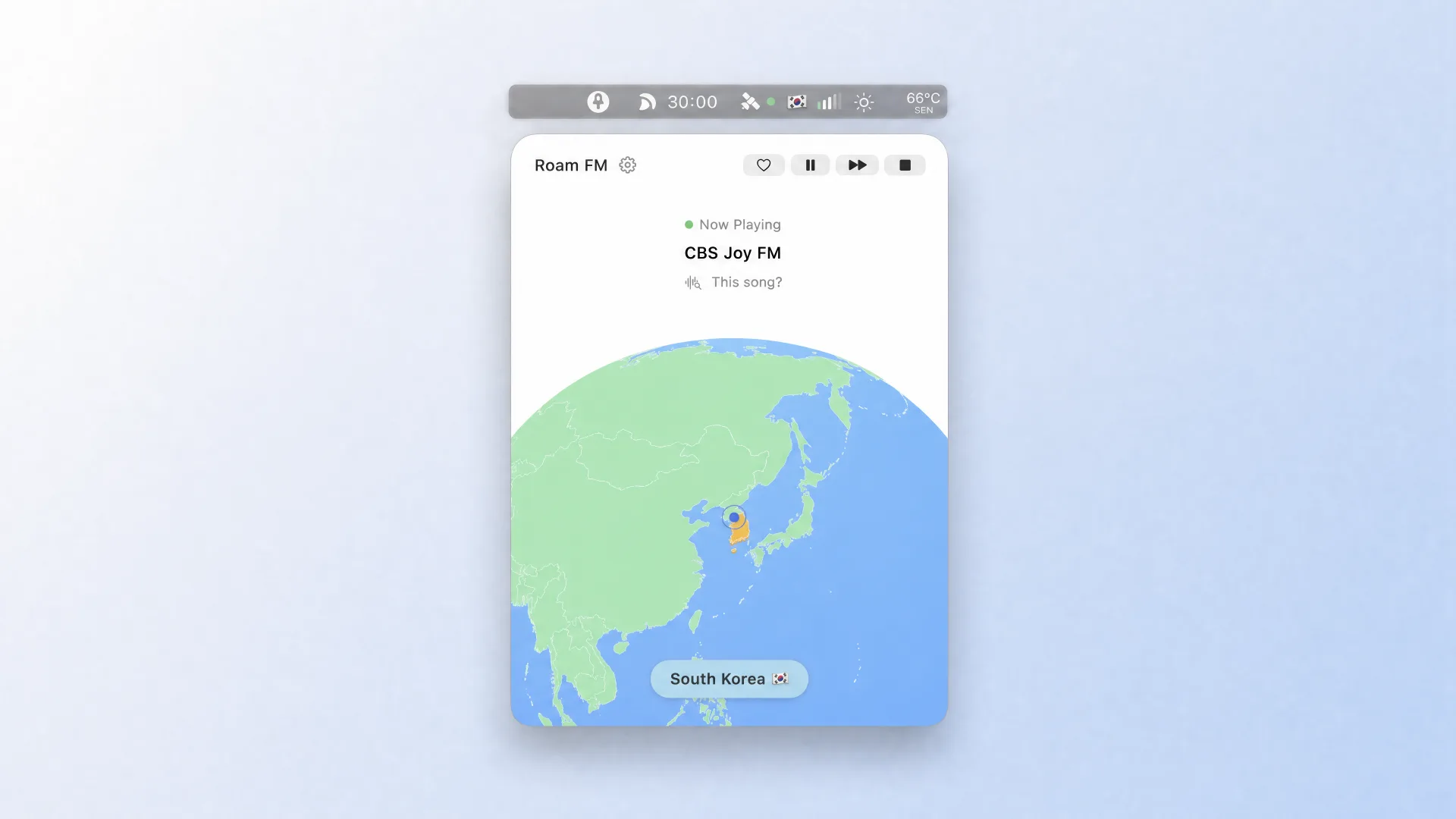
Open Roam FM and spin the globe to East Asia. The Korean peninsula hangs off the northeastern edge of China, so that's the part of the map to zoom into. Look for Korea and you'll notice there isn't one. The map lists South Korea and North Korea separately, so it's worth checking both if you want the full picture of what's broadcasting in Korean. Double-click either one and you'll see a list of currently available stations. Click any one to start listening. There's also a random playback option within a region, which is handy when you're not sure what you want and just want to browse around.
The screenshot below shows South Korea highlighted after a double-click. North Korea is the piece directly above it, still attached to the mainland.
When you find a station you like, save it to your favorites. Next time you can go straight there without touching the map.
Method 2: Filter by language
If you want Roam FM to open on Korean stations every time you launch it, set your language preference in Station Filter. Select Korean, hit Apply Filter, and it takes effect right away.
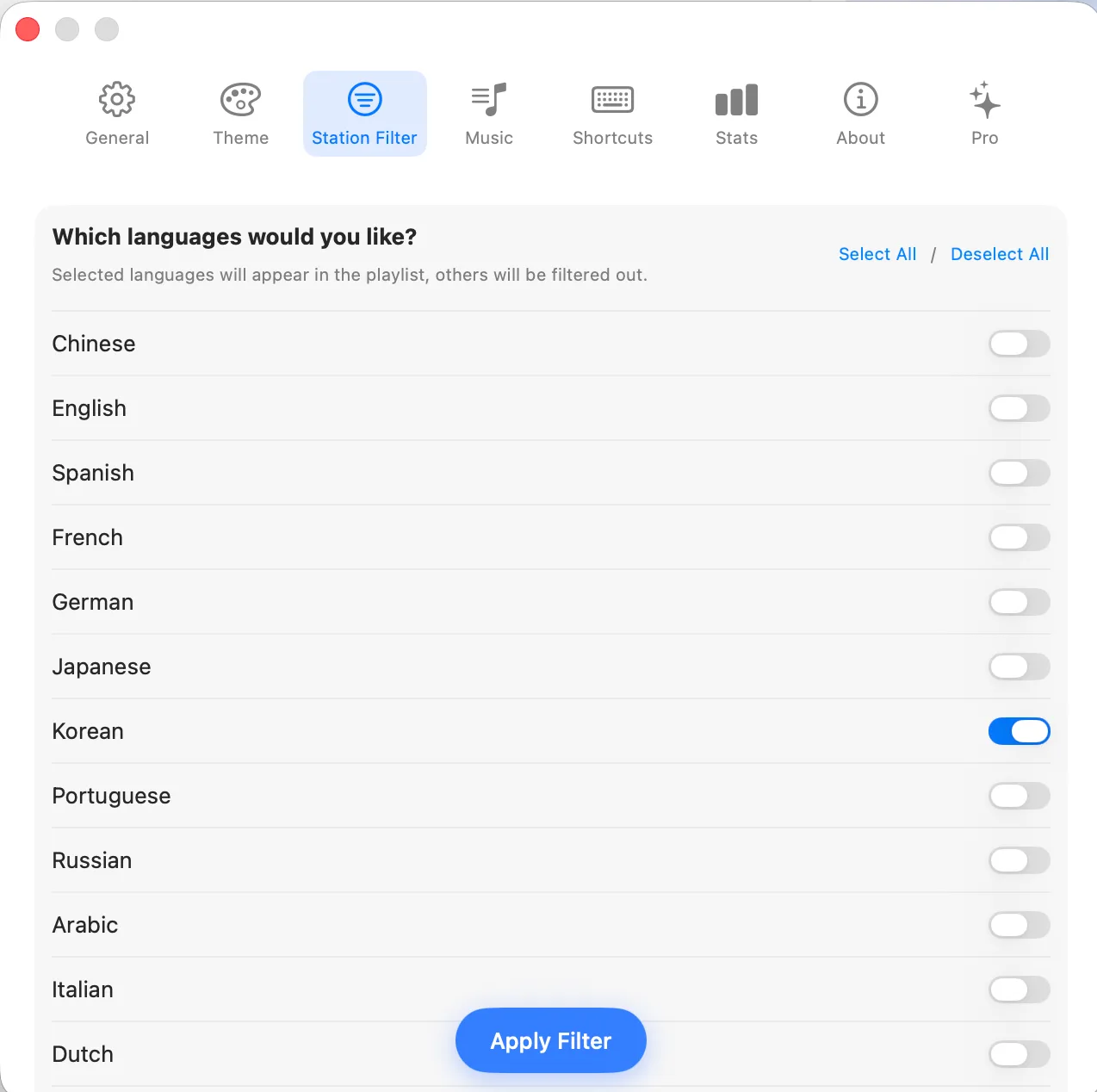
This also does something the map doesn't: it casts a wider net. Korean-language stations from anywhere in the world show up, not just ones based in Korea. That includes Korean-language broadcasters in the US and Canada, the kind of channel you'd never stumble on if you were only navigating by geography.
Both routes land you on the same stations, so don't agonize over the choice. Find a program you can live with, leave it running in the background, and give it a few days. Your ears will adjust faster than you think.
The Station Filter works for any language, by the way. English, Spanish, French, German, Italian, Japanese, Chinese. If you're juggling a few at once, or just want to switch things up, change the setting and that's it.