
Joe Hou
If you're learning Japanese, you've probably hit this wall: textbook drills feel manageable, but the moment you hear a real conversation, you're lost.
Textbook Japanese is built a certain way. Slow, clean, predictable. Real spoken Japanese is none of that. It's fast, full of contractions and regional accents, packed with expressions you've never seen in a lesson. Dramas and flashcards can only close so much of that gap.
Listening to radio is one way to bridge it. You don't need to catch every word. The point is just keeping your ears in a real Japanese environment every day, and letting the language settle in. News programs are slow and formal, which works well for intermediate learners. Entertainment stations are closer to everyday speech, better if you want to build a feel for how the language actually moves.
Roam FM is a global radio app for Mac. Here are two ways to find Japanese stations.
Method 1: Jump in from the map
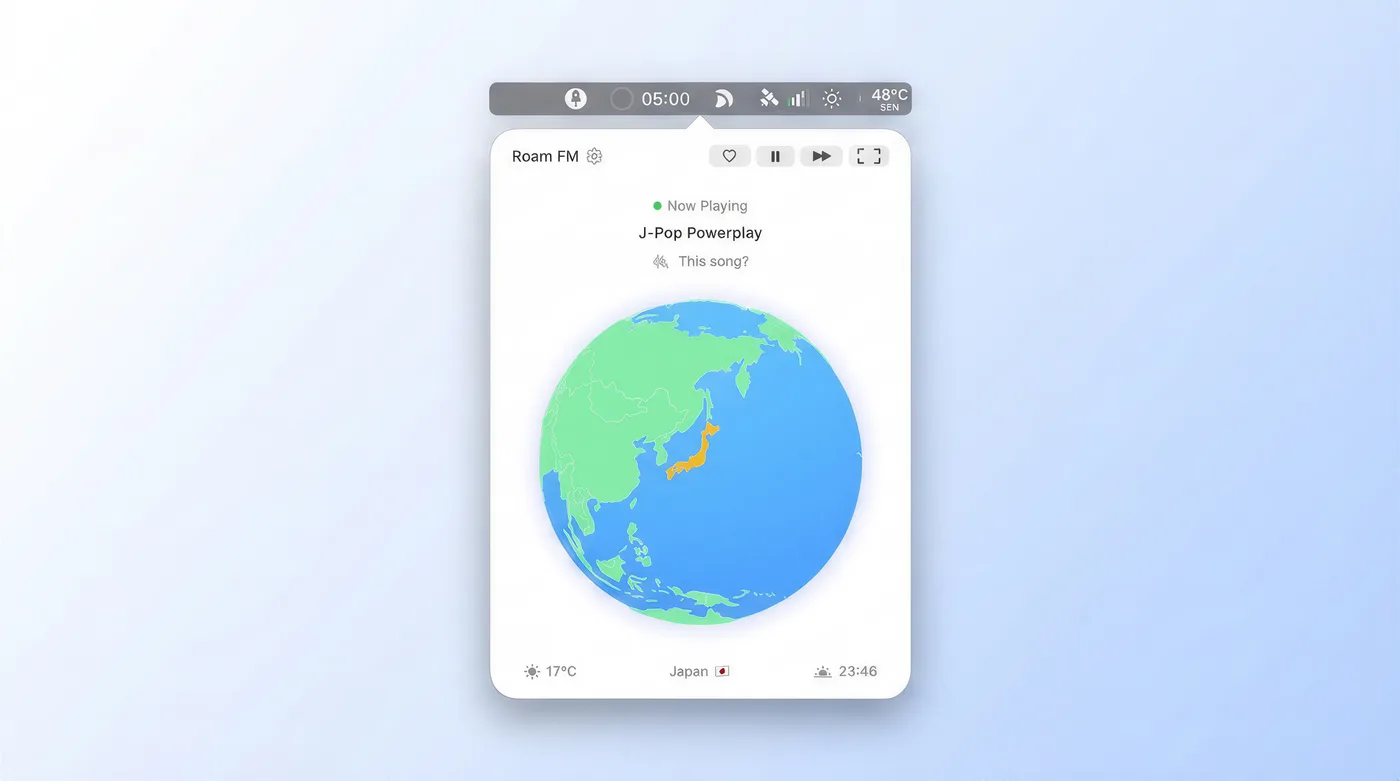
Open Roam FM, find Japan on the map, and double-click. You'll see a list of currently available Japanese stations. Click any one to start listening. There's also a random playback option within a region, which is handy when you're not sure what you want and just want to browse around.
When you find a station you like, save it to your favorites. Next time you can go straight there without touching the map.
Method 2: Filter by language
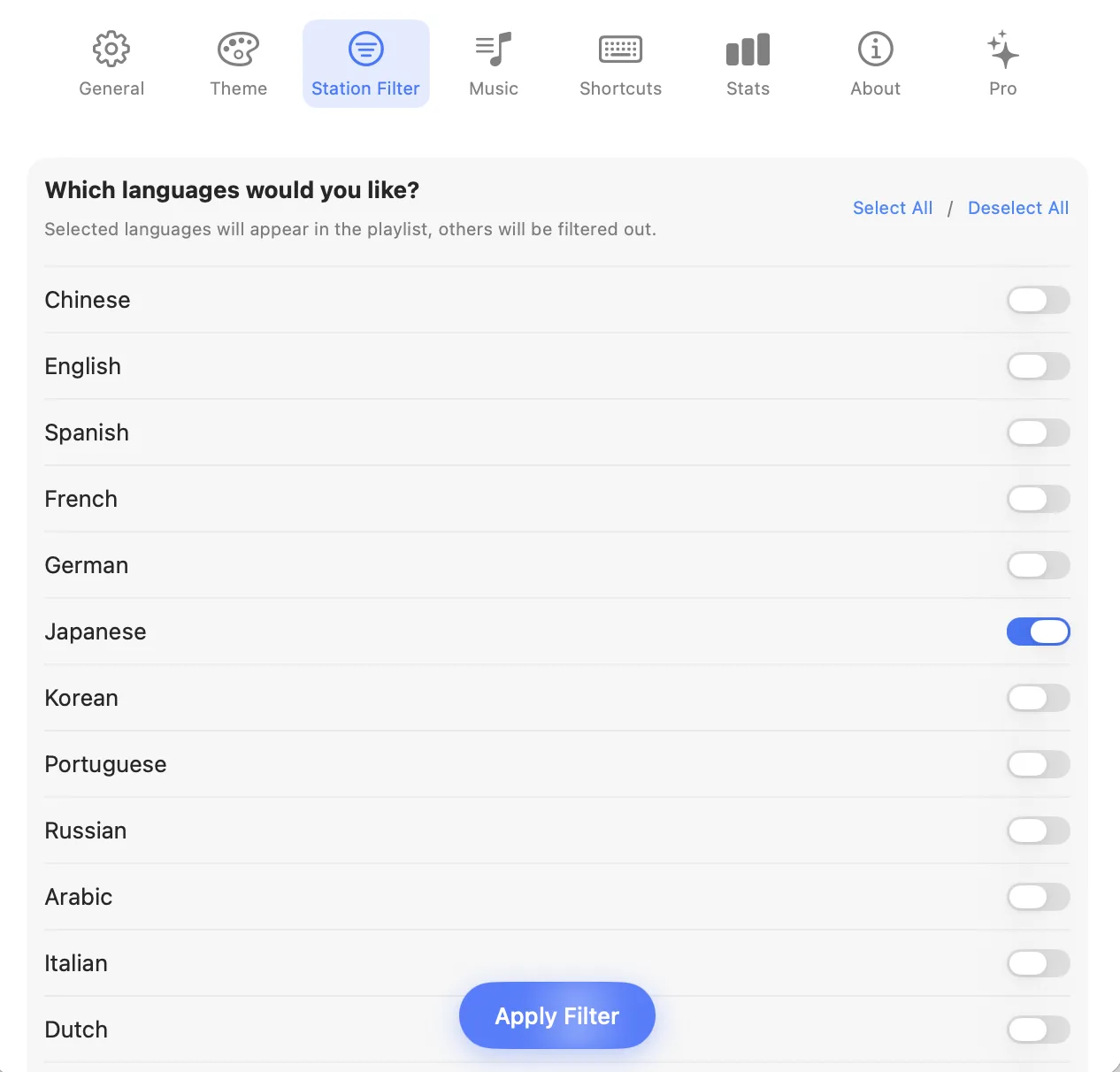
If you want Roam FM to open on Japanese stations every time you launch it, set your language preference in Station Filter. Select Japanese, save, and it takes effect right away.
This also does something the map approach doesn't: it casts a wider net. Japanese-language stations from anywhere in the world show up, not just ones based in Japan. Some of those channels are easy to miss if you're only navigating by geography.
Both methods get you to the same stations. Pick whichever feels more natural. Find a program or two you're comfortable with, leave it running in the background, and don't overthink it.
The Station Filter works for any language, by the way. Chinese, English, Spanish, French, German, Korean. If you're juggling multiple languages, or just want to explore something different, swap the setting and you're done.